Free & open source

Git changes, organized by time

Today. Yesterday. Last week. Not alphabetical.

Command Central β€” Multi-workspace sidebar with custom project icons showing time-grouped git changes
Works with
VS Code Cursor Claude Code Copilot Windsurf
536 tests passing
MIT licensed
Zero config needed

Stop switching between repos to check what changed

Monorepos and multi-root workspaces turn into a wall of files. Each folder gets its own panel and icon β€” you see which project changed at a glance.

Multi-workspace view with emoji project icons and time-grouped changes

AI scattered changes across 30 files. Find yours.

Filter by .ts, .py, or any extension β€” everything else disappears. One click to reset. See only the files that matter to you right now.

Extension filter showing TypeScript files only with active filter indicator

Remember what you're about to ship

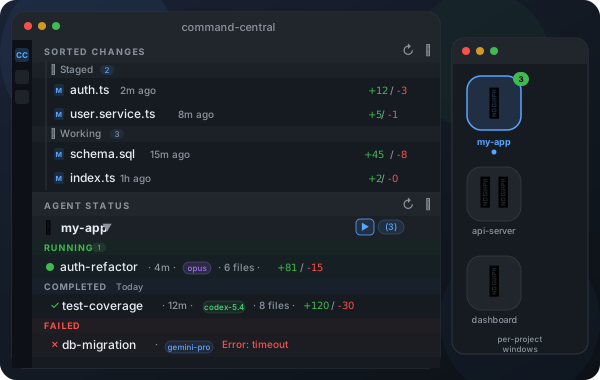
Staged and working changes, grouped by when you touched each file. No more hunting through a flat list to figure out what's ready to commit.

Staged and working changes split into clear groups, each time-sorted

Perfect for

β˜•

Morning catch-up. Open your laptop, instantly see what changed overnight β€” yours, your team's, or your AI agent's work.

πŸ€–

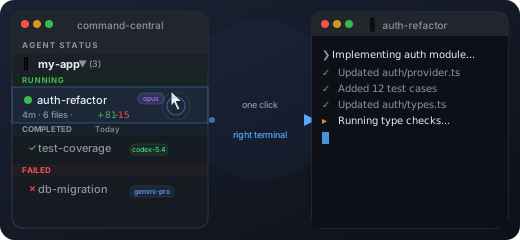
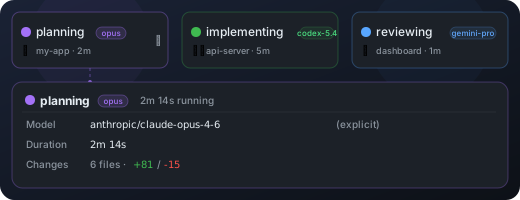
Watching agents work. Claude Code just touched 15 files. Which ones? When? Command Central tells you without reading a single diff.

🧹

End-of-day review. What did I actually ship today? Time groups show your work in the order it happened.

One click to install

ext install oste.command-central

Or install from the Marketplace

Stay in the loop

Release notes only. No spam.